How to use Dogood.
Everything Dogood does, where to find it, and how to switch it on, shown on the app itself. On a phone or on a computer.
- No account, nothing to install
- Works offline
- Your journal stays on your device
Write today’s page
Dogood opens on today. Everything on the page saves itself on this device as you go: there is no Save button.
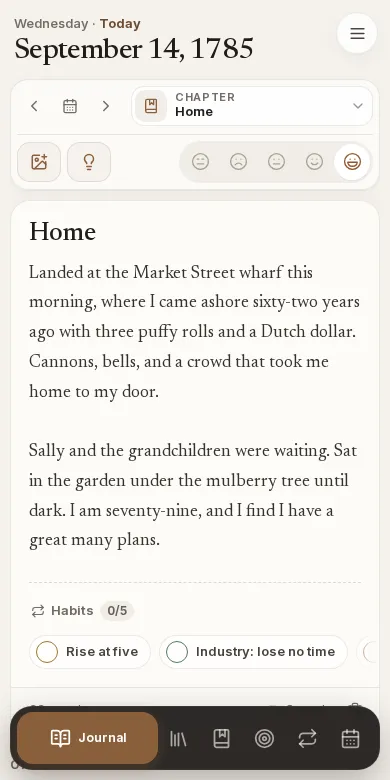
Write in the page: a line is enough.
Move between days
Every day has its page, past days included: write the ones you missed whenever you like.
The arrows go to the day before or after. On a phone, you can also swipe the page sideways.
Find your way around
On a phone, the bar at the bottom leads everywhere, and Print is in the menu. On a computer, the list on the left.
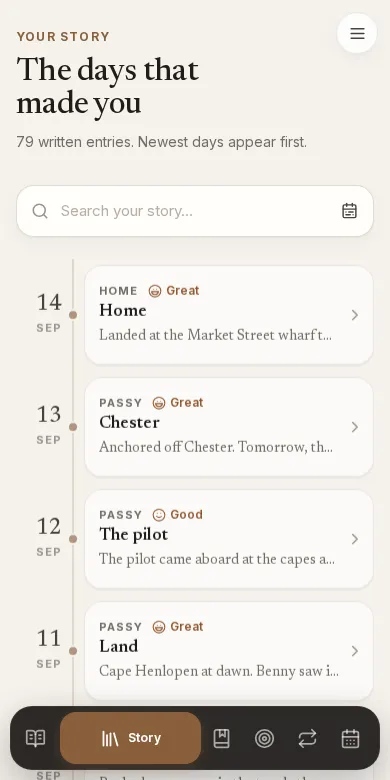
Your story: every page you have written, newest first, with a search.
Keep it safe
Your journal lives on this device, not on a server. Two habits keep it for years: a backup, and a passphrase.
Open the menu.
Make it yours
A few settings, all in the same menu.
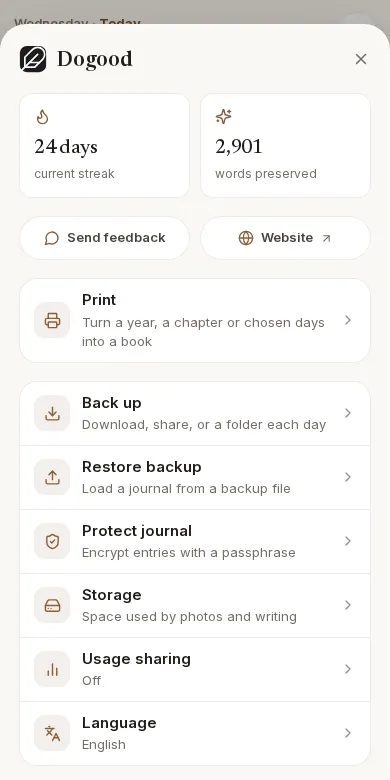
Language: English, French, Spanish, Japanese, Chinese or Korean. Write in any language you like.
Dogood Plus: sync and dictation
Writing, goals, habits, chapters and encryption are free. Dogood Plus adds every photo of the day, sync between devices, dictation and books for print shops, paid once, for life.
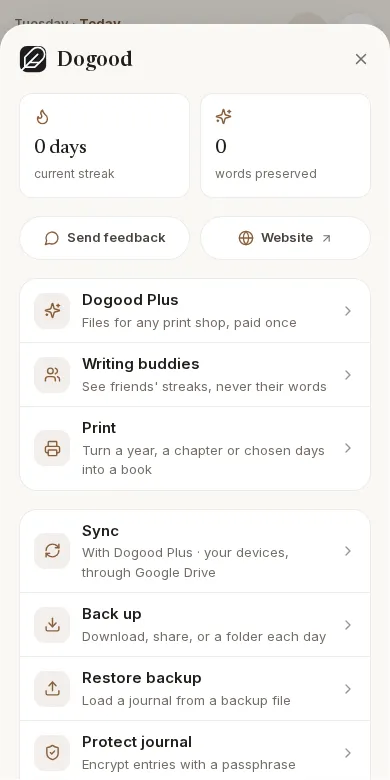
Dogood Plus is in the menu: what it adds, and how to get it.
Put it on your home screen
Dogood runs in the browser, and installs like an app: its own icon, its own window, and it opens without a connection.
- iPhone, iPadIn Safari: Share, then Add to Home Screen.
- AndroidIn Chrome: the menu ⋮, then Install app, or Install Dogood in Dogood’s own menu.
- Mac, WindowsIn Chrome or Edge: the install icon in the address bar, or Install app in Your journal.
On iPhone, the app on the home screen keeps its own copy of the journal, apart from Safari’s: back up in Safari first, then restore the file in the app.
Build Dogood with us.
Dogood is shaped by the people who write in it. An idea, something missing, a detail that gets in the way: tell us. Every message is read, and the next improvements come from them.
Now, today’s page.
Or try everything first in Benjamin Franklin’s journal.